
Where to find photos of your ancestors
Most people have seen only a handful of photos of their great-grandparents, and assume that is all there is. Usually it isn't: prints were given away at weddings and funerals, and they scattered across the family.
- 1
Ask every branch of the family
Cousins, great-aunts and second cousins often have a different set of prints from the same people. A message to a family group chat asking "does anyone have photos of ___?" turns up more than any database.
- 2
Search online family trees
FamilySearch (free) and Ancestry let members attach photos to people in their trees. Distant relatives may already have uploaded a scan of someone you have never seen.
- 3
Check Find a Grave and obituaries
Memorial pages on Find a Grave often have portrait photos added by family. Obituaries in old newspapers, through newspaper archives or a local library, sometimes include a photo.
- 4
Look for yearbooks, local histories and societies
School yearbooks, church and town histories, and county historical societies hold portraits and group photos of ordinary families, often with names written in.
Dating an old photo
An unlabelled photo can still often be placed within a decade or two, which helps work out who it is. Start with the format, then narrow it with clothing, hairstyles and the photographer's name or address printed on the mount.
| Format | What it looks like | Roughly when |
|---|---|---|
| Daguerreotype | What it looks like: Mirror-like image on silvered metal, in a hinged case | Roughly when: 1839 to 1860s |
| Ambrotype | What it looks like: Image on glass with a dark backing, usually cased | Roughly when: 1854 to 1860s |
| Tintype | What it looks like: Dark image on thin iron, often uncased | Roughly when: 1856 to 1900s |
| Carte de visite | What it looks like: Small print on a card about 2.5 × 4 inches | Roughly when: 1859 to 1890s |
| Cabinet card | What it looks like: Larger print on a card about 4.25 × 6.5 inches | Roughly when: 1866 to 1910s |
| Snapshot | What it looks like: Small paper print, often with a white or scalloped border | Roughly when: 1900s onward |
Ranges overlap and are approximate. Card color, corner shape and the photographer's studio details narrow them further.
Restoring an ancestor photo without changing them
Ancestor photos are usually the most damaged ones: cracked, foxed, faded to almost nothing, or a tintype with rust spots. They are also the ones where the face matters most, because this may be the only likeness of that person anywhere.
- Scan it before anything else, at 600 DPI or more for small formats such as cartes de visite. Cased images and tintypes can be photographed flat in soft daylight if they won't fit a scanner.
- Restore the scanned copy, never the original. Don't clean, flatten or remove a photo from its case yourself; ask a conservator if it needs physical care.
- Where part of the face is missing, nobody can know exactly what was there. Any restoration, by hand or by AI, rebuilds it as a guess. Small cracks and spots rebuild faithfully; a face that is half gone may come back looking like a stranger.
- Compare the result side by side with the original. If the eyes, nose or mouth have changed, use a lighter restoration or keep the damaged original. Accuracy is worth more than polish here.
Resly restores old photos on the restore old photos page with faces kept as they were, and can add color on the colorize photos page. Seeing a great-great-grandparent in color for the first time is often the moment a family tree stops being a list of names.
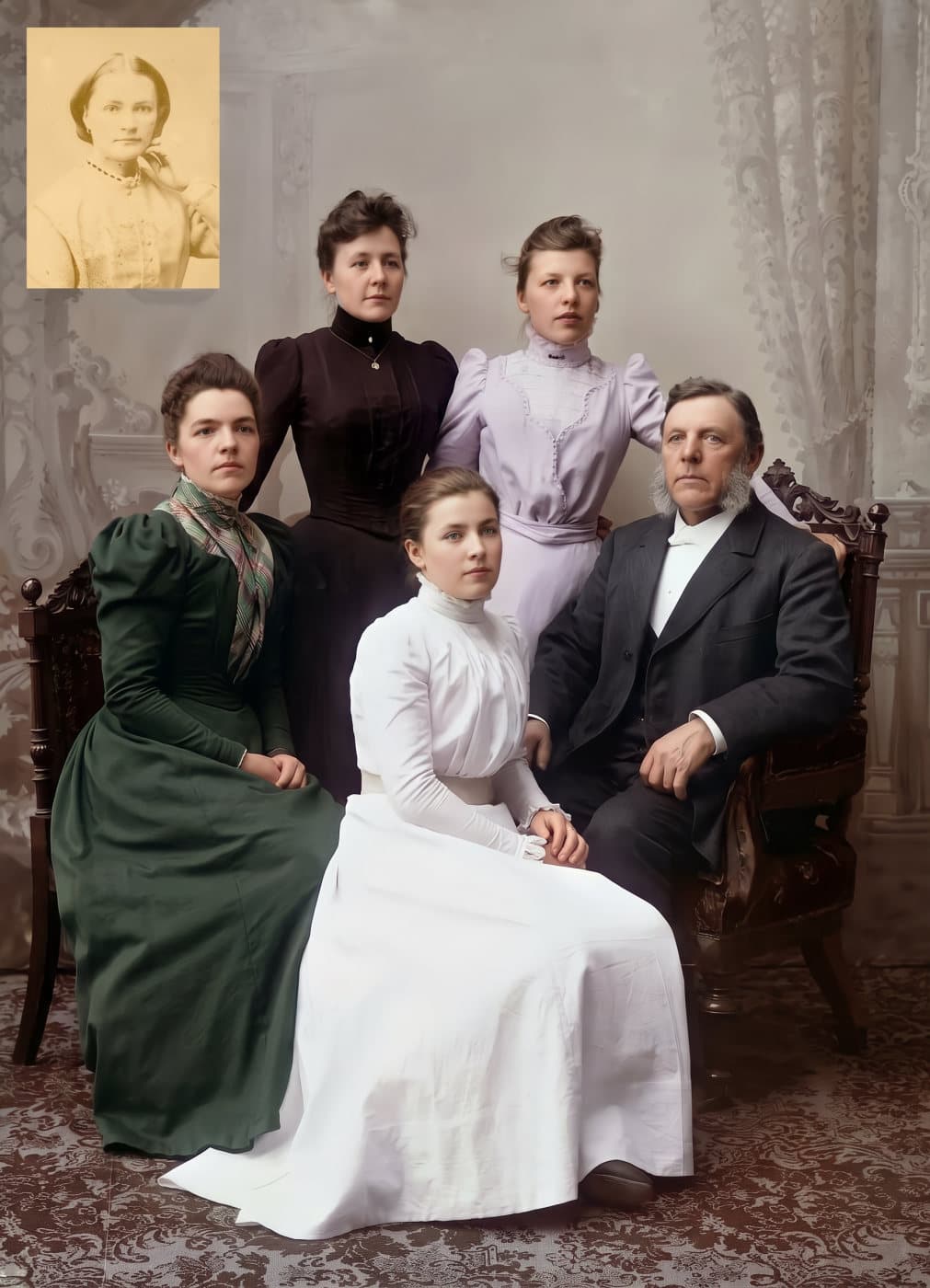
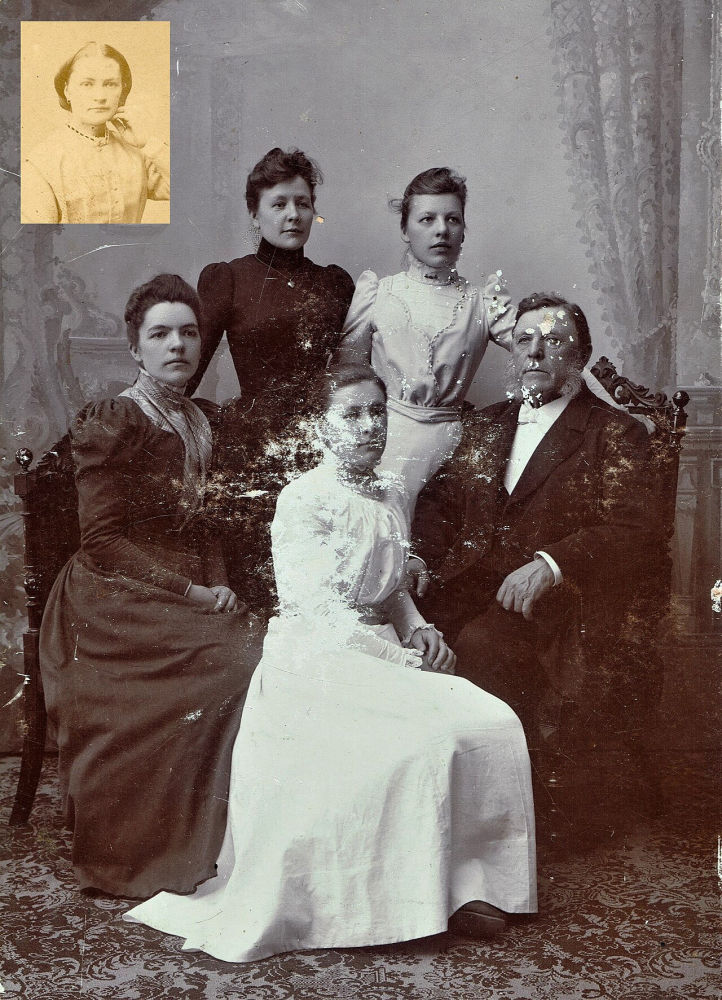 BeforeAfter
Sharing what you find
Upload the scans, restored and original, to your family tree with names and dates, so the next relative searching for them finds the photo. Send copies to the cousins who helped. And write down what you learned about who is in each one, on the file name and in the tree, because that is the part that is hardest to recover later.