
Why color photos fade
A color print is three layers of dye: cyan, magenta and yellow. The dyes are organic compounds, and from the day the print is made they slowly break down. They don't break down together, which is why an old print shifts color instead of simply getting lighter.
- Light, especially sunlight, fades the magenta dye fastest. A print that hung on a wall for years often turns cool, greenish or blue.
- Dark, warm or damp storage fades the cyan dye fastest. A print kept in an album or a shoebox drifts toward red, orange or magenta: the familiar look of 1970s snapshots.
- Dark storage also yellows the paper and the whites over time.
- Heat and humidity speed all of it up. A print in a hot attic fades many times faster than one in a cool closet.
Age matters too. Color prints from the 1940s and 1950s used the least stable dyes; manufacturers improved them a great deal from about 1960. Black-and-white prints are made of silver rather than dye, so they don't shift color, but they can yellow, fade at the edges or develop a mirror-like silver sheen.
How to stop photos fading further
- Keep prints out of direct sunlight. Hang copies on the wall, not originals.
- Store them somewhere cool and dry: an inside closet, not an attic, basement or garage.
- Use acid-free, photo-safe sleeves, boxes and albums. Old "magnetic" albums with sticky pages yellow and damage prints over time.
- Scan them. A digital copy doesn't fade, and once it is saved in two places the photo can't be lost even if the print keeps fading.
How to fix a faded photo
The color can't be put back into the print, but a scan can be corrected and printed fresh. Scan the print at 600 DPI, or photograph it flat in daylight with the flash off.
Turning up saturation doesn't work: it strengthens the color cast along with everything else. What a faded print needs is the balance corrected, so whites are white again, skin looks like skin, and the lost dye is put back.
- In a photo editor, an auto color or auto levels command is the quick start. In Photoshop, Levels or Curves adjusted channel by channel gives finer control; in GIMP, Colors, then Auto, then White Balance.
- AI restoration corrects the color shift as part of repairing the photo, along with scratches, dust and creases, and can size it for printing.
Resly restores faded color prints on the restore old photos page: upload the scan, keep the original colors, and the corrected photo is back in about 20 seconds.
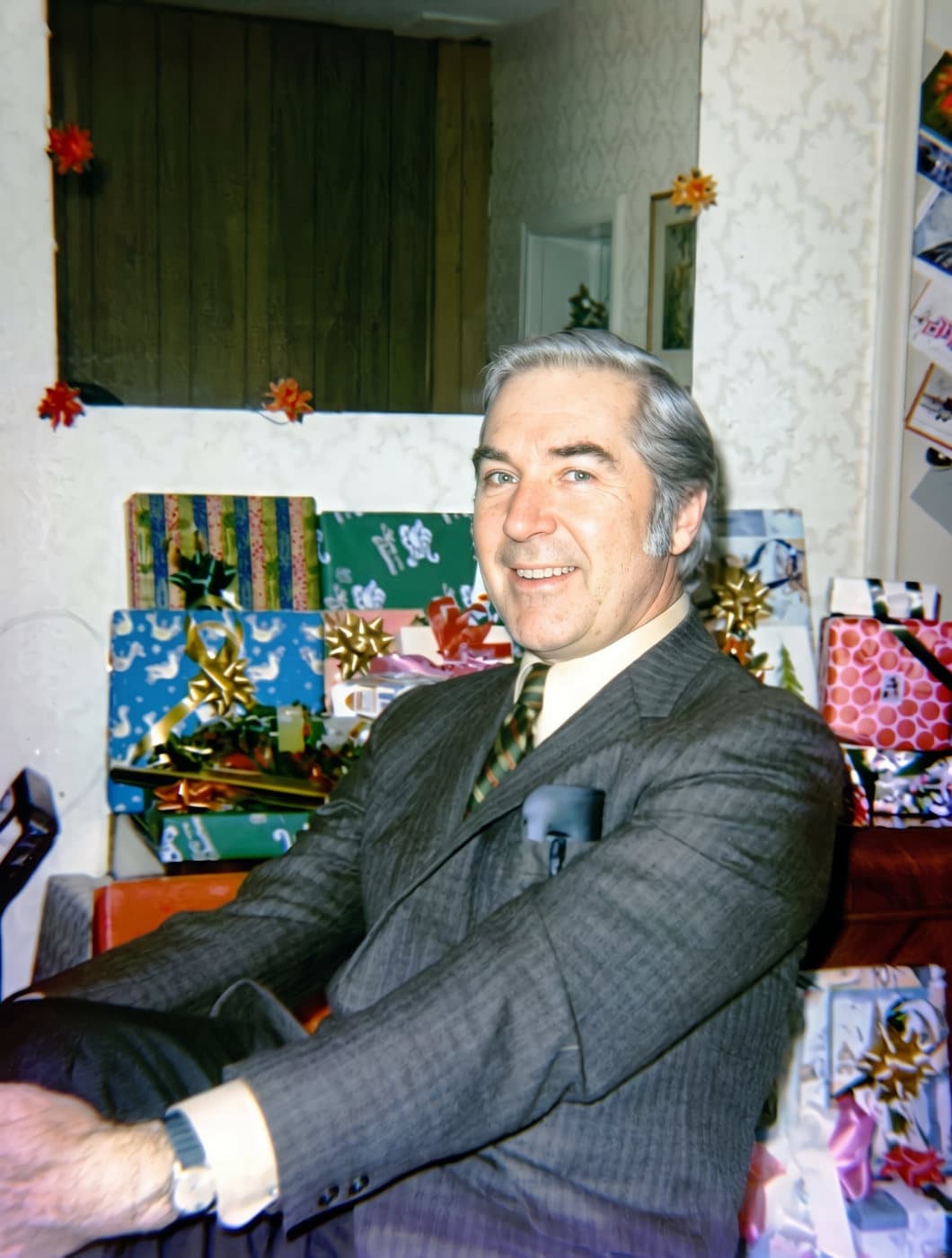
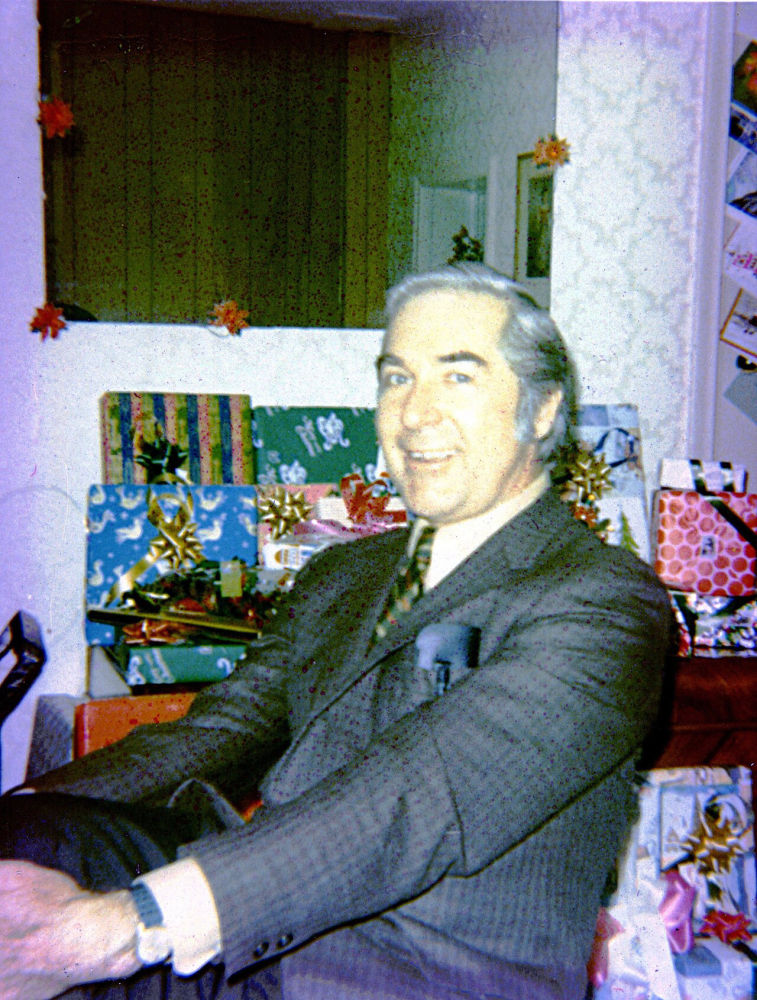 BeforeAfter